Valheim Server
www.razgaming.us:2456
Modpack instructions (windows):
- Download Valheim
- Locate your Valheim install folder (Steam, right click "valheim", properties, local files, browse)
- Delete everything in your valheim install folder
- Download and extract valheim2143_2.zip
- Copy extracted contents to your valheim folder
- Contents of your valheim install folder should end up looking like this
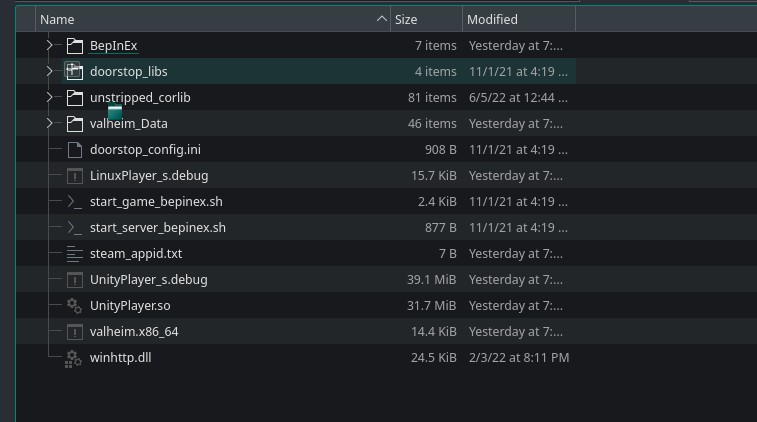
- Run valheim via steam as usual. Be patient, it'll take longer to load (minute or 2)
- You can tell your modpack is working correctly by pressing tab in-game, you'll see gear slots.
If you're running Linux, you'll have to launch game with start_game_bepinex.sh
Additional help can be found at https://valheim.thunderstore.io/package/denikson/BepInExPack_Valheim/